
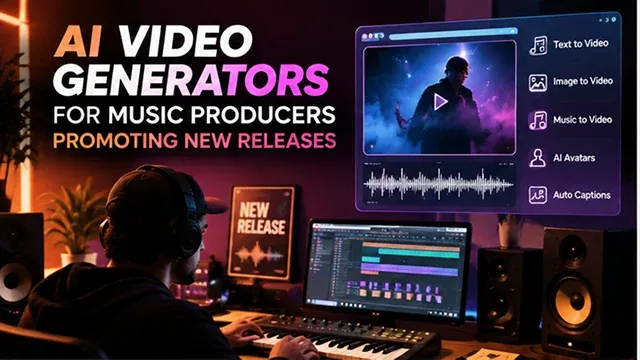
For independant music producers, audio engineers and electronic musicians there has always been a distribution bottleneck: streaming algorithms and social platforms are optimized for short form vertical video, not raw audio files.
Drop a single without accompanying visuals, you've missed out on organic discovery through Tik Tok, YouTube Shorts and Spotify Canvas. But to purchase an animation house or go on location to film music videos for every cycle can cost thousands of dollars.
Generative AI video workflows allow indie musicians to easily turn audio stems, MIDI files, and album cover artwork into audio-reactive visualizers, narrative music videos, and teaser videos within hours.
Above-the-Fold Feature Matrix: Top AI Video Tools for Music Producers
Audio-Visual Production Matrix · Music Promotion, Audio Reactivity & Asset Generation
| Platform / Engine | Primary Music Promo Strength | Audio-Sync & Reactive Depth | Primary Output Asset | Best Genre / Use Case |
|---|---|---|---|---|
| Wan 2.2 / Web Studio | Cinematic, physics-accurate B-roll | Prompt-guided tempo pacing | Widescreen YouTube visuals & teaser trailers | Cinematic trap, Lo-Fi chillout, ambient, & film score |
| Hedra (hedra.me) | Digital artist persona & avatar sync | High (Viseme matching to vocal stems) | Virtual vocalists, producer talking reels, & hooks | Vocal pop, rap performance skits, & artist branding |
| Neural Frames / BeatViz | Multi-stem audio reactivity | High (Drums, bass, and synth stem analysis) | Audio-reactive reactive visualizer loops | EDM, dubstep, hyperpop, & aggressive bass drops |
| 3D Forge Engine | Text-to-3D asset modeling | Manual DAW keyframing / export | 3D album cover props & spinning vinyl assets | Product mockups, digital merch, & interactive visuals |
| Instant Voice Cloning | Multi-language promotional voiceovers | Audio-only generation | Promotional radio drops, DJ tags, & ad promos | Pre-save campaign announcements & international ads |
1. Core Operational Formats: Canvas , Teasers, and Full Music Videos
Music producers must segment visual assets based on platform-specific consumption habits:
                 ┌───► [Spotify Canvas]: 8-second seamless 9:16 vertical loop (No audio, zero text)
                 │
[Master Audio] ──┼───► [TikTok / Shorts Teaser]: 15-second high-energy hook with kinetic lyric overlays
                 │
                 └───► [YouTube Full Visualizer]: 3.5-minute audio-reactive landscape video (16:9 @ 4K)
1. Spotify Canvas Loops (9:16 Vertical)
- The Technical Specs: 3-8 seconds, 9:16 vertical (1080 x 1920), < 30MB, and absolutely NO audio – your song plays above it.
- Looping techniques: Do not use hard cuts. Use ping-pong looping techniques or morphological looping such as in Neural Frames or ComfyUI Deforum (e.g., frame 240 must match frame 0 smoothly).
- Effect of Optimization: According to the internal statistics of Spotify, songs with active Canvas get 145% more shares compared to static album arts and 20% more playlist inclusions.
2. Social Teaser Clips (Tik Tok / Reels / Shorts)
- Pacing driven by Hooks: Frame cuts to be with evanescent hits (at every 1.5 - 2.0 sec).
- Safe-Zone Compliance: Keep focal characters and typography inside the vertical safe zone (clearing the right-hand engagement icons and bottom caption box: Y bounds: 15% to 78%).
2. Audio-Reactive Prompt Engineering: Stem Modulation
The biggest flaw in basic "AI music videos" is lack of musical timing—the visuals morph at random speeds unconnected to the rhythm. Professional producers use stem-separated modulation, feeding isolated stems into visual parameters:
[Master Song WAV] ➔ [Demucs / Spleeter Audio Stem Separator]
                                │
        ┌───────────────────────┼───────────────────────┐
        ▼                       ▼                       ▼
[Drums / Transient]     [Sub-Bass Stem]          [Vocal Melody]
        │                       │                       │
        ▼                       ▼                       ▼
[Camera Zoom Impulse]   [Latent Color Warp]     [Character Lip-Sync]
Motion Vector Prompt Formulas (BPM-Calculated):
For a 128 BPM Bass Drop (Camera Punch):
- "Wide-angle shots of gleaming neon engine cylinders, rapid zoom on the Z-axis, optical flares, soft volumes of smoke, lifelike illumination, 8K, 60 frames persecond."
For an 85 BPM Lo-Fi / Ambient release (Continuous Drift):
- "Retro 16mm anime look, with rainfall from the window in a Tokyo studio during twilight hours, slow camera movement on synthesizers and tape recorders, yellow lighting, slight grain in the film."
Primary AI Video Generator Toolchain for Music Producers
Audio-Visual Generator Comparison · Audio-Sync Mechanisms, Aspect Ratios & Production Fit
| Platform / Tool | Core Synthesis Mode | Audio-Sync Mechanism | Resolution / Aspect Ratios | Best Production Fit |
|---|---|---|---|---|
| Neural Frames | Audio-reactive diffusion interpolation. | Stem-level audio separation (Kick, Snare, Bass, Vocals modulate motion strength). | Up to 4K (16 : 9, 9 : 16, 1 : 1). | Psychedelic visualizers, techno/EDM drops, and dark synthwave art. |
| Runway (Gen-3 / Gen-4) | High-fidelity cinematic Image-to-Video (I2V). | Multimodal audio conditioning & manual beat-marker alignment. | 1080p/4K cinematic wide. | Narrative music video scenes, realistic artist performances, and cinematic trailers. |
| Kling AI (3.0) | Controlled spatio-temporal diffusion. | Camera motion vector prompts synced to track BPM. | 1080p (9 : 16 vertical & 16 : 9). | Action cuts, rapid camera pans for drop sequences, and anime aesthetic. |
| Tuneform / Tunee | Automated template & procedural visualizer. | Direct frequency spectrum analysis (FFT). | 720p to 4K presets. | Fast release-day Spotify Canvas loops and YouTube full-track static visualizers. |
Request A Custom AI Video
Tell us what you're trying to create and we'll point you to the right tool — or help you set it up.
3. The 5-Step Single Promotion Video Pipeline
1. Stem Separation & Peak Transient Extraction
- Export your final stereo master into separate stems like drums, bass, and vocal tracks using a DAW or an AI stem separation tool (for instance, Demucs/LALAL.AI).
2. Single Artwork Keyframe Synthesis
- Use FLUX.1 or Midjourney to create high-resolution keyframe images matching the release's album cover art style to maintain sonic and visual branding consistency across streaming services.
3. Stem-Driven Motion Generation
- Import your keyframe into an audio-reactive engine (like Neural Frames). Map the Kick/Sub-Bass stem to control zoom amplitude and the Synth/Vocal stem to modulate prompt weight and color saturation.
4. Multi-Format Export & Canvas Trimming
- Export your base renders. Trim an exact 8-second section of the chorus for your Spotify Canvas, ensuring the start and end frame visual vectors align seamlessly.
5. Final Timeline Assembly & Mastering
- Import your stereo WAV master into DaVinci Resolve or Premiere (24bit/48kHz). Add subtle analog halation and film grain to unify the generative frames, and burn in dynamic kinetic lyrics for vertical social exports.
4. Five Genre-Specific Visualizer Prompt Frameworks
Transcribe the sound to image-to-video motion vectors of camera path, light movement, and structural shape in order not to restate the whole scene from noideo at every step.
1. Melodic Techno / Progressive House (124–128 BPM)
- Visual Keyframe (FLUX.1): An enormous and rigid obelisk made of concrete hovering over an underground obsidian lake, with luminous cyan geometric signs arranged in moist stone, presence of volumetric fog and atmospheric haze, and the shot captured using the 35 mm film in a slightly dark cinematic yet soft image taken using a Hasselblad camera.
- Motion Vector (I2V): Moving in, really slowly and persistently towards the obelisk, while looking at the ripples spreading out and the light reflecting off the fog through the background.
2. Synthwave / Cyberpunk Electronic (90–110 BPM)
- Visual Keyframe (FLUX.1): Retro-futuristic DeLorean cockpit view, auto flying at night time above a Digital wireframe horizon, magenta and amber based HUD lights, rain drops on windshield, Tokyo (skyline at far horizon), anamorphic lens flare.
- Motion Vector (I2V): Exciting and fast motion in the grid, with dashboard meters quivering due to a vibrating engine, bright headlights forming neon waves in the rain and a slight lateral movement of the camera.
3. Lo-Fi Hip-Hop / Chillhop (75–85 BPM)
- Visual Keyframe (FLUX.1): Studio Ghibli style back porch in a lush garden with antique instruments and record player, birds soaring on lightly windy day, golden hour sun, wind-chimes and hypnotic vanishing point.
- Motion Vector (I2V): Feathery warm float, old fashioned tape deck, back and forth motion of shelves of books and their dented, slightly peeling pages.
4. Beneath - Drum & Bass / Jungle (174 BPM)
- Visual Keyframe (FLUX.1): An overgrown warehouse rave with giant steel ventilation ducts, like an abandoned industrial building, thumping with strobing laser grid cuts through the smoke, grungy analogue film texture, high contrast monochrome with bright yellow strobing flashes, 16mm grunge aesthetic.
- Motion Vector (I2V): Hand held lo-fi camera tilt and jitter cuts, heavy strobes alternating from pitch black to illuminated, extreme dynamic speed, rampant motion blur.
5. Click to humanizeAmbient / Neoclassical Piano (60-70 BPM)
- Visual Keyframe (FLUX.1): Grand piano shell underwater crystalline Arctic fjord ice, beams of refracted light through fractured Arctic sea-ice floes from above, from below almost motionless faint blue air bubbles, water is very still, faintly blue, hyper-detailed marine minimalism, medium cinematic wide.
- Motion Vector (I2V): Slow motion gravity camera drift with light refractions flowing & floating, against water reflections along with ambient rythmically swimming through the oceanic currents, ultra-smooth fluid stability.
AI Video for Music Producers
Master audio-reactive visualizers, Spotify Canvas loops, beat teasers, and release day campaigns.
Producers use AI video tools to build Audio-Reactive Visualizers, Spotify Canvas Loops, and TikTok Beat Teasers without hiring production crews. By animating original album artwork, generating surreal dreamscapes that match a song's mood, and syncing visual cuts to kick-drum transients, producers can produce weeks of promotional video assets for every single or EP launch.
A streamlined producer stack includes: Midjourney v6 or FLUX (generating base album art concepts and thematic environments), Kaiber AI or Deforum (industry standards for strict audio-frequency reactivity and beat-synced morphing), Kling AI or Runway Gen-3 (for cinematic narrative B-roll clips), and CapCut or DaVinci Resolve (for beat-snapping cuts, waveform overlays, and streaming callouts).
Use Audio Reactivity and Keyframe Modulation. Platforms like Kaiber allow you to upload an isolated drum stem or bassline WAV file. The engine reads peak audio amplitudes (transients) and binds them to camera zoom, motion intensity, or visual prompt weights, making the video pulse, warp, or transform on exact snare hits and 808 sub-bass drops.
Spotify Canvas requires a vertical 9:16 aspect ratio (1080x1920) between 3 and 8 seconds long with no audio. Using an Image-to-Video tool with loop support (or matching your generation's first and last frames), you can animate an album cover's ambient background (such as falling rain, drifting smoke, or rotating 3D vinyl) into a seamless loop that increases listener track saves and playlist adds.
Use an Image-to-Video baseline workflow. Upload your finished 2D cover illustration into Kling AI or Runway Gen-3. Set the motion intensity to a subtle level (3 or 4 out of 10) and prompt exclusively for environmental motion: "Slow camera push-in, subtle hair blowing in wind, volumetric neon fog drifting across frame, tack-sharp focus." This preserves your original branding while bringing the artwork to life.
Pair your music's highest-energy hook or drop with Relatable Producer Storytelling or Surreal Visual Metaphors. Top-performing hooks include: "I made a beat using only samples of rainfall and this happened..." or "If this song doesn't make you feel like you're floating in space, delete my account." Sync the visual climax precisely to the drop within the first 3 to 5 seconds.
Rather than generating 180 seconds of continuous unique AI video, build a Modular B-Roll and Looping Assembly. Generate 8 to 12 distinct 4-second hero scenes matching your track's aesthetic. Bring them into your editor, reverse clips, cut on drum transients, apply stylized speed-ramping, and repeat scenes rhythmically across verses and choruses to assemble a full visualizer at a fraction of the render cost.
Yes. By passing an isolated vocal stem into lip-sync platforms (like Hedra or LivePortrait) paired with a styled digital character portrait, the engine re-renders mouth visemes and head movements to match your vocal phrasing. This enables producers who work with anonymous vocalists or AI vocals to present an animated virtual singer or persona in music video releases.
To use AI video commercially (on monetized YouTube channels, Spotify Canvas, or sponsored ad placements), you must render assets under active paid commercial licenses of your generative software. Additionally, toggle the "Altered or Synthetic Content" flag on YouTube and TikTok to comply with platform disclosure policies and safeguard your channel standing.
Follow this proven 3-Step Music Release Blueprint: First, generate a high-res square album cover in Midjourney/FLUX and animate it into a seamless 6-second vertical loop for your Spotify Canvas in Kling AI. Second, isolate your track's drum stem and pass it into Kaiber to render an audio-reactive visualizer for the full YouTube release. Third, edit 3 distinct 15-second teaser clips in CapCut highlighting your best drops, add animated lyrics, and schedule them across TikTok and Reels to drive pre-saves.
Ready to try Skora AI?
Transform your ideas into cinematic video in seconds.