
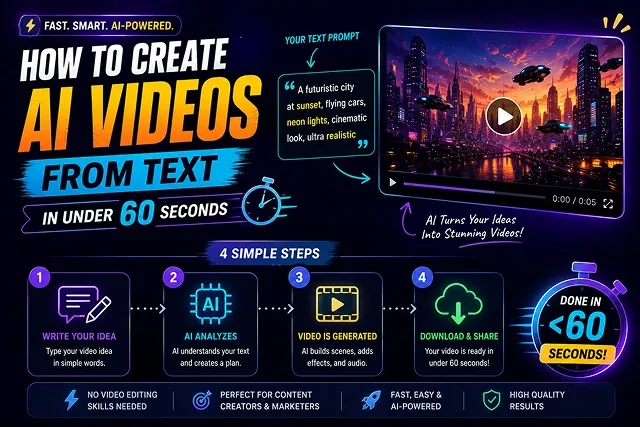
How to Create AI Videos From Text in Under 60 Seconds
A step-by-step walkthrough: write a short script, choose a presenter, pick a format and export your first video.
Read Full Article
Write a script, add an image or record a voice sample, and create videos right in your browser. No camera, no editing software and no cost.
Create your video in three simple steps, from your idea to a finished video.
Start with the tool that fits your project. Pick from 12 tools, all free to use in your browser.
Enter your content and let the tool work with it. Clear instructions and good-quality source files help you get better results.
Generate your result, review it, and make changes when needed. Depending on the tool, you can download it or keep editing.
Every tool in Skora AI's pipeline, from script to final render — pick one and start creating in seconds, no downloads required.
Turn a written script into a narrated presenter video, right in your browser.
Animate a static image into fluid, natural motion with camera pans and subject movement.
Stream a digital presenter in real time for webinars, demos and explainers.
Paste a topic or headline and get a ready-to-edit short video in one click — no scripting needed.
Restore detail and sharpness in low-resolution images and video frames.
Generate background music to match your video's mood and length.
Generate rotating 3D product renders and scenes from a single reference image or prompt.
Create a custom voice from a short audio sample and use it to narrate your scripts.
Auto-transcribe and burn in styled subtitles, with SRT/VTT export in over 30 languages.
Cleanly cut a presenter from any background with edge-aware masking, in one pass.
Stabilize shaky footage, reduce noise, and sharpen frames for a cleaner final export.
Adjust lighting direction and color temperature on a shot after it's filmed, no reshoot needed.
See how creators, businesses and teachers can use Skora AI.
Make short videos and captions for YouTube, Reels and social posts without filming or heavy editing.
Create product clips and promo videos without hiring a production team.
Turn lesson notes and how-to guides into explainer videos with narration and subtitles.
Simple tools for the parts of video making that usually take the most time.
Put a digital presenter on screen for demos, explainers or webinars with Live Creator, with no camera or studio setup.
Turn speech into subtitles and export them as SRT or VTT files for YouTube, social media or any other platform with the Captions Generator.
Sharpen low-quality footage, remove backgrounds and adjust lighting without extra software, using the Video Enhancer and other tools.
Feedback from creators and teams using Skora AI for everyday video creation and content workflows.
"Skora AI makes it easier for me to turn simple ideas into short videos. I especially like being able to start with a script and then make small changes to the result."
"I use Skora AI when I need to create simple explainer videos without spending too much time on the editing process. The captions and voice tools are useful for finishing the video."
"The different tools make it convenient to work on different parts of a video in one place. I mainly use Skora AI for product clips and social media content."
Here is what makes Skora AI useful whether you are making your first video or your fiftieth.
No subscription, no credit card and nothing to install. Open a tool in your browser and start creating, so cost never gets in the way of trying an idea.
Text to video, image to video, captions, upscaling, background removal and more live in one studio, so you do not have to jump between different apps.
Create a custom voice from a short audio sample and use it to narrate your scripts. Handy when you do not want to record every video yourself.
A few sample images and videos from our gallery. Press play on any video, or open the full gallery to see more.
Practical how-tos, tool comparisons and prompt tips from the Skora AI team.
A step-by-step walkthrough: write a short script, choose a presenter, pick a format and export your first video.
Read Full Article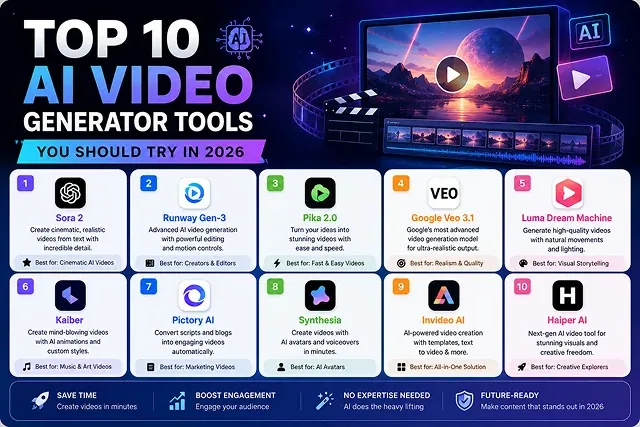
An honest comparison of popular AI video tools: what each does well, where it falls short, and who it suits best.
Read Full Article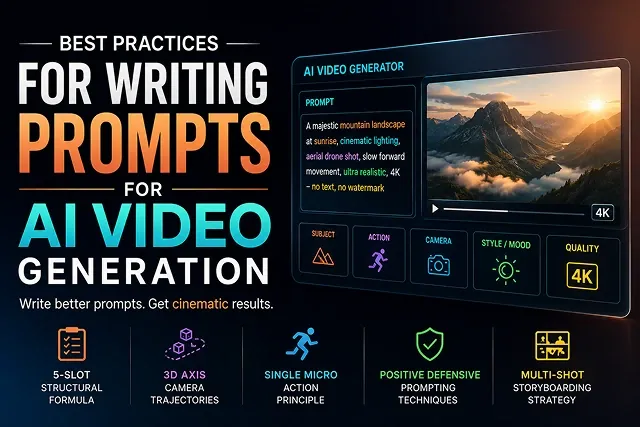
Learn how to describe scenes, lighting, tone and pacing clearly, with before-and-after prompt examples.
Read Full ArticleStraight answers about what Skora AI does, how it works, and how to get the best results.
Yes. Skora AI is completely free to use. There are no paid plans, no subscriptions and no credit card needed. Just open any of the 12 AI tools and start creating.
No. Everything runs in your browser, on desktop or mobile. If you want quicker access, you can add Skora AI to your phone's home screen, but that is optional.
Open Prompt To Video, type or paste a short script, adjust the options on the page and generate. Rendering time depends on the length of your script. If you are not sure where to begin, the How It Works page explains each step.
Skora AI brings 12 tools together: text to video, image to video, live presenters, quick one-click videos, voice cloning, auto captions, background removal, image upscaling, video enhancing, relighting, 3D renders and AI music. Use them one at a time, or combine them to finish a single video.
Upload or record a short voice sample, then use the Voice Cloning tool to create narration for your own content. Only clone your own voice or a voice you have clear permission to use.
Yes. The Captions Generator transcribes your audio into subtitles and lets you export them as SRT or VTT files, so you can use them on YouTube, social media or other platforms.
Only upload photos, videos and audio that you own or have permission to use. You can read how we handle uploaded content in our Privacy Policy, and we recommend avoiding sensitive personal files.
Our Terms of Service explain how you can use what you create. Whatever you plan to publish, make sure the scripts, images, music and voices you provide are yours or properly licensed, and double-check platform rules such as YouTube's before you upload.
AI results depend a lot on what you give it. Clear scripts, sharp photos and specific descriptions work best, and small changes between attempts often make a big difference. Our guide on writing prompts for AI video has tips. Still stuck? Contact us and we will help.
Access all 12 visual synthesis engines, clone voices, and render files in high definition. No credit card required.