
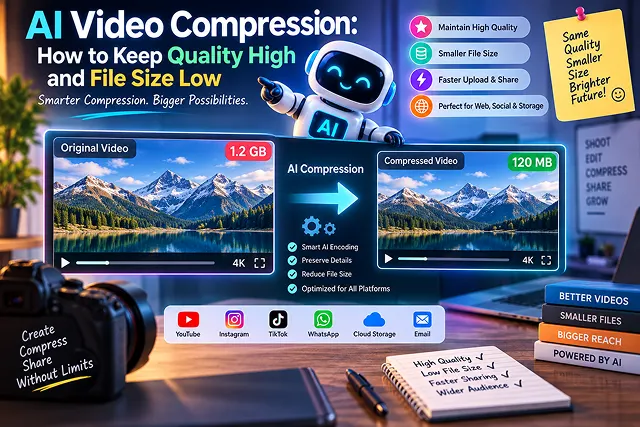
More than sixty-five percent of internet bandwidth is used for high-resolution video streaming. Though traditional codecs, such as H.264, H.265/HEVC, and the standard AV1, utilize the Discrete Cosine Transform and motion vector estimation, AI video compression employs artificial intelligence to process video content.
By applying the combination of Neural Video Codecs, Perceptual Deep Pre/Post-Filtering, and Content-Adaptive Machine Learning Quantization, streaming professionals can achieve utilization of 40% to 65% less bandwidth without compromising the visual quality of the original video, as proved by Netflix VMAF and SSIM assessments.
Above-the-Fold Breakdown: Compression Standards & AI Optimization
Video Encoding & Bandwidth Efficiency Matrix · Codec Comparison & AI Perceptual Filtering
| Compression Standard / Pipeline | Typical File Size Reduction | Visual Fidelity at Low Bitrates | Encode Speed / Compute Load | Best Use Case |
|---|---|---|---|---|
| Legacy H.264 (AVC) | Baseline (0% extra savings) | Noticeable blocking below 8 Mbps | Fastest (Universal hardware acceleration) | Universal web fallback & legacy device compatibility |
| H.265 (HEVC) | 40%–50% smaller vs. H.264 | Crisp gradients; moderate noise smoothing | Moderate (Supported across modern GPUs/phones) | 4K master archives, Apple iOS delivery, & local playback |
| AV1 (AOMedia) | 60%–70% smaller vs. H.264 | Superior (Retains fine textures & edge vectors) | Slower software encoding; rapid hardware decoding | Modern web embeds, YouTube 4K, & bandwidth-critical apps |
| AI Perceptual Pre-Filtering + AV1 | 75%–85% smaller vs. H.264 | Maximum perceived clarity (Removes invisible noise) | Compute-heavy pre-pass (Tensor/GPU accelerated) | High-converting landing pages, SaaS product demos, & ads |
1. Core Architectural Pillars of AI Video Compression
Neural compression achieves smaller file sizes through three primary deep learning mechanisms:
[Raw High-Bitrate Video (100Mbps)]
                │
                ▼
[1. AI Semantic Pre-Filter] ➔ Strips imperceptible camera sensor noise & micro-grain
                │
                ▼
[2. Learned Latent Autoencoder] ➔ Compresses motion vectors via Non-Linear Neural Transforms
                │
                ▼
[3. Perceptual Quantization (VMAF Guided)] ➔ Dynamically allocates bits to faces/text not sky
                │
                ▼
[Final Compressed Bitstream (8Mbps)] ➔ Up to 65% Bandwidth Savings with Equivalent VMAF >95
1. Neural Semantic Pre-Filtering
- Camera sensors are known to produce random noise at high frequency (especially in low-light or 35mm photography) and classical encoders take this noise for useful information wasting about 30% of bitrate budget on retaining it despite being random pixel flicker.
- AI pre-filters use deep convolutional neural networks (such as SimaBit or custom bilateral denoisers) to separate structural edge information from non-semantic noise before the encoder ever touches the frames.
2. Learned Non-Linear Latent Transforms
- Classical codecs operate by dividing the image into a fixed-sized rectangular blocks (either 16×16 pixels or 64×64 pixels in size). The new generation of the video codecs employs the power of autoencoders to project the whole image into the low-dimensional latent space.
- Instead of calculating the translational motion vectors in the 2D plane, the algorithm learns a more complicated optical flow mathematics performing the same task with less data volume.
3. Distribution of Bits According to Foveation and ROI Principles
When people view images on the screen, their eyes do not analyze the pixels equally. Some studies on gaze tracking have shown that people are focused on human faces, animated figures, and bright letters while they almost do not observe background images.
AI-guided rate control models apply dynamic quantization parameter (QP) offsets:
- Faces and Salient Foregrounds: Quantized at lower CRF/QP values (CRF 20–22) to retain skin pores and iris detail.
- Defocused Backgrounds and Uniform Surfaces: Quantized aggressively (CRF 32–36). The overall file shrinks dramatically, while the viewer perceives the video as high-definition.
2. Production FFmpeg SVT-AV1 Optimization Script
For creators, developers, and webmasters looking to achieve the maximum compression ratio using open-source, production-ready encoders, this command leverages SVT-AV1 paired with tune-specific perceptual algorithms:
ffmpeg -y -i input_master_4k.mov \
  -vf "scale=trunc(iw/2)*2:trunc(ih/2)*2" \
  -c:v libsvtav1 \
  -crf 28 \
  -preset 5 \
  -svtav1-params \
    tune=0:\
    enable-overlays=1:\
    scd=1:\
    film-grain=12:\
    film-grain-denoise=1 \
  -c:a libopus -b:a 96k \
  -movflags +faststart \
  compressed_output_av1.mp4
Parameter Breakdown:
- -c:v libsvtav1 -crf 28: Makes use of the advanced AV1 encoder based on Scalable Video Technology. Certain values of CRF in AV1 (for example, 28) offer visual quality similar to CRF in H.264 codec with a significantly decreased file size.
- preset 5: The sweet spot between CPU compute time and mathematical compression efficiency for high-quality production masters.
- film-grain=12:film-grain-denoise=1: AV1 Film Grain Synthesis. In this way, the encoding process from original film grain does not waste much time. First, glue removes all bits of original film grain during compression. After this, the simple data file with computer commands is created in order to help the playback device reconstruct synthetic film grain when the movie is played back at 60 FPS.
- -c:a libopus -b:a 96k: There is audio recorded with transparency achieved by the Opus codec being the most effective codec.
- -movflags +faststart: Moves the moov atom header to the very beginning of the MP4 file so that the playback may start immediately without waiting for the download to be completed.
- Inspect the raw master footage. Your pixel dimensions should ideally be integer multiples of two to avoid encoder macroblock padding errors. The pixel space should also be set to Rec.709 and a native 8bit or 10bit YUV 4:2:0.
- Pass high-ISO footage through a temporal denoiser or neural filter. Removing static background camera sensor hiss prevents the motion estimation pass from mistaking digital noise for active physical movement.
- Run a fast sample test across high-motion segments of your video (5-second cuts). Calibrate the CRF target until the resulting stream achieves an objective Netflix VMAF score between 93 and 96 (the human visual transparency threshold).
- Execute the SVT-AV1 compile pass utilizing multi-threading tile parameters (tile-columns=2:tile-rows=1) to balance core workloads across CPU threads without compromising compression performance.
- Verify the final output container with ffprobe. Confirm metadata headers are structured at byte zero (+faststart) for instant web buffering, and run an automated VMAF comparison script against the source to guarantee visual parity.
- Always generate and export your initial base footage at the highest possible fidelity using specialized creation tools:
- Pass your raw render through an AI video enhancement or preprocessing filter (such as Topaz Video AI or neural FFmpeg filters). Apply subtle de-flickering and artifact removal to eliminate latent temporal jitter, ensuring the encoder doesn't waste bitrate tracking micro-noise.
- Open your encoding software (such as HandBrake, FFmpeg, or Shutter Encoder) and configure optimal perceptual rate parameters:
- Most of the time, AI videos heavily reliant on dialogue won’t need the 320 kbps PCM audio. It is better to compress audio of the voiceover using the Opus or AAC codec (96-128 kbps, stereo) to save storage space while keeping sound quality intact. Export the final container with the "Fast Start" (Web Optimized) MOOV-atom flag enabled for instant streaming playback.
Codec Efficiency Matrix: Traditional vs. Neural Approaches
Encoding Mechanics & Hardware Support · Traditional vs. Neural Approaches
| Compression Standard | Mechanism Type | Bitrate Savings vs. H.264 | Relative Encoding Latency | Hardware Decode Support | Best Operational Fit |
|---|---|---|---|---|---|
| H.264 (AVC) | Handcrafted Macroblocks | Baseline (0%) | Ultra-Fast (0.1×) | Universal (99.9% of devices) | Maximum legacy compatibility. |
| H.265 (HEVC) | Quadtree Coding Units (CTUs) | 40% — 45% | Moderate (1.2×) | Wide (92%+ modern devices) | 4K mobile & Apple ecosystem. |
| SVT-AV1 | Open Source Transform Blocks | 50% — 55% | Slow (2.5 × –4×) | Expanding (Snapdragon, Apple M3+, RTX 40+) | Next-gen web video & YouTube/Netflix. |
| AI-Assisted Preprocessing | Neural Denoise + SVT-AV1 | 60% — 70% | Moderate-Slow (3×) | Native AV1 Playback | High-volume VOD web delivery. |
| Full Neural Codecs (NVC) | End-to-End Latent Autoencoders | 70% — 85% | High GPU Compute Required | Requires NPU / WASM Neural Runtime | Video conferencing, live avatar streams, specialized VOD. |
Request A Custom AI Video
Tell us what you're trying to create and we'll point you to the right tool — or help you set it up.
3. Operational Compression Pipeline Sequence
Follow this end-to-end operational sequence to batch-process uncompressed video archives into optimized web streaming masters:
1. Source Ingestion & Spatial Sanitization
2. AI Pre-Filtering & Structural Denoising
3. Two-Pass Rate Factor Calibration
4. AV1 Multi-Core Encoding Execution
5. FastStart Containerization & VMAF Verification
4. The 4-Step AI Compression Workflow
In order to reduce file size significantly while avoiding any excess blurring or visual banding, you have to follow this entire production process:
1. Render High-Bitrate Source Masters
2. Run an AI Denoising Pre-Pass
3. Configure Modern Codec Parameters (AV1 or HEVC)
4. Optimize Audio Bitrate and Containerize
AI Video Compression Masterclass
Master neural codecs, perceptual bitrate control, spatial denoising, and bandwidth optimization.
Video diffusion models generate individual frames with minute pixel fluctuations, micro-jitter, and high-frequency latent noise. Traditional video encoders rely on predicting static or repeating blocks across frames; because uncompressed AI video contains micro-variations in every single pixel, standard codecs fail to compress redundant data efficiently, resulting in bloated files with elevated bitrates.
For pure compression efficiency, AV1 is the clear leader, reducing file sizes by up to 30% more than HEVC and 50% more than H.264 at identical visual quality. However, for maximum device compatibility across older mobile hardware and legacy web browsers, HEVC/H.265 serves as the production sweet spot, while H.264 remains the universal fallback for social embeds.
Constant Rate Factor (CRF) adjusts bitrate dynamically to maintain consistent visual quality throughout the video rather than enforcing a rigid data rate. Lower values mean higher quality. For H.264/H.265 encoding, a CRF value between 18 and 22 delivers visually lossless AI renders while shrinking file sizes by 40% to 65% compared to standard constant bitrate (CBR) exports.
Traditional codecs use hand-engineered mathematical transforms (like discrete cosine transforms) to discard invisible data. Neural Video Codecs (NVC) use deep learning autoencoders trained on human visual attention. The AI reconstructs missing textures, shadows, and subtle facial micro-details on the user's playback device from a fraction of the transmitted raw data stream.
For local batch processing, HandBrake (open-source GUI) and FFmpeg (command-line engine) offer the most precise control over bitrate, color profiles, and audio compression. For browser-based or cloud workflows, specialized engines like Topaz Video AI or Shutter Encoder provide clean pre-configured web presets without setup friction.
Random noise and lighting flicker between video frames trick compression algorithms into treating every millisecond as a brand-new, unique image. Applying a light Deflicker or Temporal Smoothing filter before final encoding stabilizes frame-to-frame luminance, allowing encoders to compress identical background pixels seamlessly and cutting final file sizes by up to 25%.
For 1080p web embeds and social video, set a variable bitrate (VBR) between 8 Mbps and 12 Mbps. For 4K exports using HEVC/AV1, target 25 Mbps to 35 Mbps. Exceeding these thresholds rarely produces perceptible visual improvements for human eyes on standard displays, but significantly increases server hosting bandwidth and user buffer times.
Color subsampling discards redundant chrominance (color) data while keeping luminance (brightness) intact. While master editorial archives use 4:2:2 or 4:4:4 for heavy color grading, final exports must always be encoded in YUV 4:2:0. This single step immediately slashes file size by up to 50% without noticeable degradation on customer screens.
Social platforms (like Instagram, TikTok, and YouTube) enforce aggressive server-side compression algorithms. If you upload a massive, uncompressed file with high bitrate noise, the platform’s automated re-encoder crushes the video brutally, causing pixel banding, muddy blacks, and blur. Pre-compressing cleanly before upload ensures your intended quality stays preserved.
Follow this proven 3-Step Compression Pipeline: First, apply a light temporal deflicker pass in your editor to stabilize AI pixel variance between frames. Second, export using HandBrake or FFmpeg configured with HEVC (H.265) or AV1, YUV 4:2:0 subsampling, and a Constant Rate Factor (CRF) of 20. Third, verify playback on both mobile and desktop to confirm zero visible artifacting before deploying to production hosting.
Ready to try Skora AI?
Transform your ideas into cinematic video in seconds.