
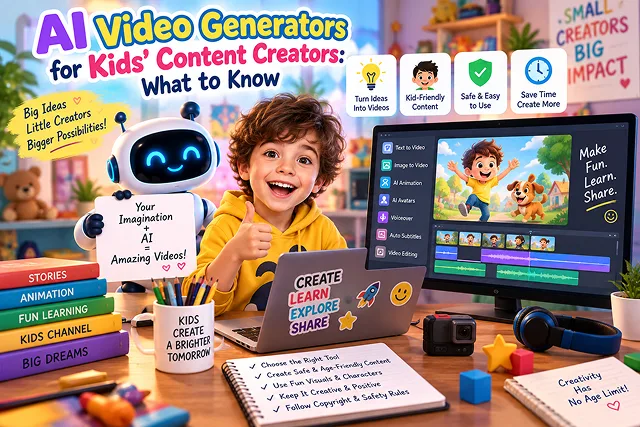
Children’s media and educational media rank among the fastest-growing niches in video platforms like YouTube Kids, TikTok, and educational sites. However, the creation of kids’ content follows strict rules set forth by technology, legal and ethical regulations.
Children’s media is produced with the help of generative AI technology that makes creating nursery rhymes, 3D animated fairy tales, and phonics videos much faster than traditional animation studios.
To succeed in this area, adherence to COPPA and CARU safety compliance practices, developmental pacing, visual character consistency, and family monetization by Google AdSense must be maintained.
Above-the-Fold Feature Matrix: Top AI Video Tools for Kids' Content
Kids' Animation Pipeline · Character Consistency, Visual Styles & Child Safety Benchmarks
| Platform / Tool | Primary Kids' Content Strength | Character Consistency Method | Visual Style Fit | Regulatory & Safety Fit |
|---|---|---|---|---|
| Hedra (hedra.me) | Audio-driven character lip-syncing & expressions | High (Anchors to uploaded illustrated portraits) | Stylized 2D/3D cartoon characters & mascots | Child-safe, family-friendly character animation |
| Wan 2.2 Studio | Fluid physical motion & rich environments | Prompt-guided seeds & image reference frames | Whimsical nature, animal B-roll, fantasy landscapes | Requires prompt filtering to prevent uncanny outputs |
| 3D Forge Engine | Text-to-3D asset blacksmithing | High (Exports clean OBJ/GLB meshes) | 3D toy models, vehicles, educational shapes | Clean meshes for interactive game/educational props |
| Instant Voice Cloning | Warm, expressive storytelling narration | Neural voice profile matching | Playful, slow-paced, character-driven voices | Requires explicit adult voice licensing (never clone child voices) |
| Midjourney / DALL-E 3 | Base visual illustration generation | Character reference tags (--cref) |
Storybook illustrations, claymation, watercolor | Strict content filters prevent inappropriate generations |
1. Regulatory Compliance: COPPA, FERPA, & YouTube "Made for Kids"
Publishing kids' content exposes creators to federal and global privacy legislation. Violators could experience channel demonetization or be hit with hefty fines by the regulators.
[Raw Script Concept] ➔ [Pedagogical Safety Filter] ➔ [AI Render Pipeline]
                                                               │
                                                               ▼
[YouTube "Made for Kids" Flag: Targeted Ads Disabled] ◄─── [COPPA / Zero-PII Audit]
1. COPPA (Children Online Privacy Protection Act)
- No Personalized Ads: If your video content is primarily intended for kids under 13 years old, identify the content as “Made for Kids” on YouTube. All personalized ads, live chat, notification bell and public comments are disabled.
- Contextual Advertisement Monetization: You will earn revenue solely through contextual advertisement (ads based on the subject of the video and not viewer’s personal data). This is important because contextual advertising generally has lower RPM ($0.50-$2.50 per 1,000 views), thus you need to achieve high volume, viewer retention, and long watch time on the playlist.
2. CARU & FTC Content Safety Guidelines
- No Misleading Advertisements: The use of AI avatars that coerce kids to buy products or in-game virtual currency must be avoided.
- Age-Appropriate Measures: Offensive content must not include scary images or any kind of sharp distortion, body morphing or sound glitches that may scare young people.
2. The 5-Step Kids' Animation Production Sequence
1. Age-Tiered Scripting & Moral Architecture
- 3-Minute Story (such as sharing toys, frustration, counting) Write a three-minute story story text hitting one particular cognitive milestone. Use the basic thesis technique to talk about the activity in three parts and include repetitions of a mnemonic phrase to reinforce language learning.
2. Character Model Sheet Creation - (FLUX/MIDJOURNEY)
- Create a drawing of a character showing proper poses of that 3D character from various angles and in a white environment (for example "3D baby elephant model, round edges, big expressive eyes, friendly smile, decent lighting etc").
3. Controlled Motion Synthesis Image-to-Video
- Feed your static character keyframes into an I2V engine (Kling, Luma, or Runway). Set motion parameters conservatively (0.3–0.4) to maintain anatomical consistency and prevent chaotic limb warping. Prompt strictly for readable character actions: "Baby elephant waving trunk slowly, blinking eyes gently, smiling."
4. Warm Voiceover Synthesis (ElevenLabs / Murf)
- Select a gentle, melodic voiceover profile. Maintain normal pace (80% - 85%) of natural speech. Add SSML pauses to allow time for toddlers to repeat target words aloud.
5. Audio Foley & Master Render
- Overlay children’s music/soundscape (copying, acoustic guitar, light strings) with gain – 18 dB relative to dialogue. Rendered at 1080p Full HD with a frame rate of 24 or 30 FPS.
Top AI Video Generators for Kids' Animators
Kids' Video Production Matrix · Core Capabilities, Visual Outputs & Workflow Complexity
| Platform / Tool | Core Capability for Kids' Channels | Visual Style Output | Best Age Group | Workflow Complexity |
|---|---|---|---|---|
| Kling AI / Luma Dream Machine | Realistic to stylized 3D character motion via Image-to-Video. | High-fidelity 3D CGI (Pixar/Illumination style). | Ages 5–11 (Story fables, adventure). | Moderate (Requires precise keyframe seeding). |
| Toobeez / Vyond Go | 2D vector animation with automated lip-sync and character rigs. | Classic flat 2D cartoon / Whiteboard. | Ages 3–7 (Classroom explainers, safety rules). | Low (Browser-based drag-and-drop). |
| FLUX.1 + ComfyUI (LoRA) | Custom proprietary character design with locked identity. | Consistent storybook illustration, claymation, watercolor. | All ages (Bedtime stories, picture books). | High (Requires GPU or serverless deployment). |
| HeyGen / Synthesia Kids Avatars | Animated storybook narrators and digital teacher personas. | Hybrid 2.5D animated presenters. | Ages 6–12 (Language learning, STEM tutorials). | Low (Script-to-speech assembly). |
Request A Custom AI Video
Tell us what you're trying to create and we'll point you to the right tool — or help you set it up.
3. Character Identity Locking: ComfyUI Dual IP-Adapter + ControlNet
Children form deep emotional bonds with recognizable characters. If a cartoon animal or character's facial features change between cuts, viewer drop-off spikes.
Instead of spending hours training a LoRA for every minor side character, professional production pipelines use an open-weights Diffusion pipeline (such as FLUX.1 [schnell] or SDXL) paired with IP-Adapter Plus and OpenPose / Depth ControlNet:
[Character Reference Sheet (Front + 3/4 Angle)] ➔ [CLIP Vision ViT-H Model]
                                                                  │
                                                                  ▼ (Image Embedding Conditioning)
[Target Pose Sketch / 3D Rig] ➔ [ControlNet OpenPose] ➔ [IP-Adapter Plus Face/Structure]
                                                                  │
                                                                  ▼
                                      [K-Sampler (Euler Ancestral, 28 Steps, CFG 5.5)]
                                                                  │
                                                                  ▼
                               Consistent 3D Character Render in Exact New Action Pose
ComfyUI Node Graph Architecture:
1. Load Image (Reference Anchor):
- Ingest a high-contrast 1024 x 1024 character sheet featuring the character on a neutral background.
2. Apply IP-Adapter Plus (ip-adapter-plus-face_sdxl_vit-h):
- Weight: Set to 0.72 – 0.80. Higher weights cause background bleeding; lower weights cause character facial drift.
- Ending Step: 0.85 (releasing prompt control for the final 15% of denoising allows natural lighting integration).
3. Apply ControlNet (OpenPose / LineArt):
- Feed a skeleton wireframe of the desired action (e.g., jumping, reaching, clapping).
- ControlNet Strength: 0.65 – 0.75 (enforces anatomical posture without stiffening the cartoon geometry).
4. Text Conditioning:
- Describe only the new setting and lighting: "3d pixar claymation style, lush fairy forest, soft morning sunlight, mossy tree trunks, 8k resolution". The character’s visual DNA is supplied by the IP-Adapter.
4. Character Identity Consistency: ComfyUI + IP-Adapter + ControlNet
In children's series, the main character (cartoon bear or toddler hero) shall be visually unchanged over 10 to 20 scene cuts. To accomplish this without training a bespoke LoRA for every minor side character, use an IP-Adapter (Image Prompt Adapter) and OpenPose / Depth ControlNet pipeline in ComfyUI.
[Clean Character Turnaround Sheet (Front / Side / 3/4)]
                            │
                            ▼
         [IP-Adapter FaceID / Plus (Weight: 0.75 - 0.85)]
                            │
            ┌───────────────┴───────────────┐
            ▼                               ▼
[ControlNet OpenPose (Body Rig)]   [Text Prompt: "walking in forest, sunny day"]
            │                               │
            └───────────────┬───────────────┘
                            ▼
            [K-Sampler (Euler Ancestral, 28 Steps)]
                            │
                            ▼
     [Latent Diffusion Frame (Consistent Anatomy)] ➔ Fed to Kling / Luma I2V
Critical ComfyUI Node Settings for Kids' 3D Animation:
- IP-Adapter Weight: Fix between 0.70 to 0.82. Values >0.85 produce robotic stiff and repeating body poses. Values <0.65 start to break the facial expression and features.
- ControlNet OpenPose: Provides forceful hand and head movements that are characteristic of children's shows but simultaneously avoids the creation of anatomical mistakes (such as extra fingers and twisted body parts).
- Negative Prompt Anchors: Make sure to create correct reference points that include photorealism, realism, high contrast, horror, aberrant body parts, extra fingers, etc.
AI Video for Kids' Creators
Master child-safe generative animation, COPPA compliance, visual storytelling, and wholesome audio design.
Creators are building entire animated channels by combining generative 2D/3D cartoon models, animated bedtime storybooks, and nursery rhymes. Instead of drawing frame-by-frame, creators generate story concepts and rhymes using LLMs, design lovable storybook characters via Midjourney or FLUX, animate movement with video diffusion engines, and generate upbeat character voices and singalong soundtracks with AI audio tools.
A popular, high-efficiency stack includes: ChatGPT or Claude (for educational rhyming scripts and age-appropriate story concepts), Midjourney v6 or FLUX (for vibrant, Pixar-style 3D or storybook 2D character generation), Kling AI, Luma Dream Machine, or Runway (for fluid character movement), ElevenLabs (for warm, expressive narrator voices), and Suno or Udio (for composing original catchy kids' songs).
Under the Children's Online Privacy Protection Act (COPPA) and platform regulations, if your video features animated characters, nursery rhymes, or child-oriented educational themes, you must tag it as "Made for Kids". This disables personalized behavioral tracking, comments, and push notifications, and switches monetization from targeted ad units to contextual advertising.
Start by generating a Character Model Sheet showing your mascot (e.g., a baby dinosaur or fluffy rabbit) in multiple poses, expressions, and angles against a plain background. Use these images as reference inputs (IP-Adapters or Image-to-Image seeds) for every subsequent scene. Always pair them with an immutable descriptor string (such as "chubby blue dragon, yellow polka-dot belly, big rounded green eyes, Pixar 3D style") to prevent character drifting.
Pediatric research and modern platform guidelines discourage over-stimulating, hyper-rapid cuts that overwhelm developing brains. Keep scene cuts between 4 and 6 seconds, use gentle camera pans and dollies rather than erratic motion, and favor warm, soft, or pastel color palettes over intense neon strobe effects. Calm, deliberate pacing improves comprehension and keeps parents happy.
Creepy visual artifacts often occur when creators attempt photorealism with human children. Instead, stick strictly to stylized 3D claymation, flat 2D vector art, or anthropomorphic animal mascots. Set your motion strength sliders to moderate values (3 to 5 out of 10) to prevent melting limbs, unnatural extra fingers, or distorted facial transitions that might scare young viewers.
Use clear, friendly, and articulate synthetic voices with slightly slower speaking rates (around 110–125 words per minute). It is best to avoid cloning real children's voices due to ethical boundaries, child privacy laws, and biometric consent concerns. Instead, select licensed professional adult voice talent tuned into warm narrative or character acting presets.
Because animated animals and cartoon characters are culturally universal, the underlying visuals can be reused across dozens of regions. By running your original English audio track through multilingual voice synthesis tools (like ElevenLabs or HeyGen), you can produce Spanish, Portuguese, Hindi, and French variations of the same nursery rhyme or bedtime story, scaling international viewership exponentially.
Algorithms heavily penalize auto-generated, mass-produced videos that combine nonsensical keywords or eerie, inappropriate themes targeting toddlers. Channels publishing repetitive, low-effort AI slop risk immediate demonetization, exclusion from YouTube Kids, and permanent account termination. Quality storytelling with wholesome, positive messages is essential for sustainable channel growth.
Follow this proven 3-Step Production Blueprint: First, generate a wholesome 8-scene moral tale using ChatGPT, complete with spoken narrator dialogue and matching visual prompts. Second, render consistent 3D storybook illustrations in Midjourney/FLUX and animate them into 4-second video clips using Image-to-Video in Kling or Luma. Third, assemble the clips in CapCut, generate a warm voiceover in ElevenLabs, add large karaoke-style reading captions, layer gentle instrumental background music, and export in 1080p.
Ready to try Skora AI?
Transform your ideas into cinematic video in seconds.