
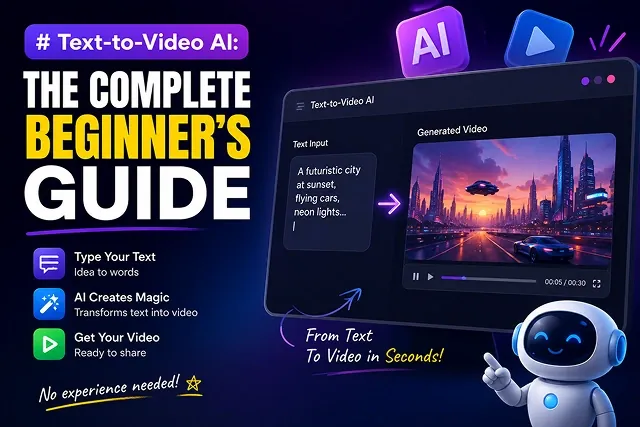
Video production was difficult process that until fairly recently required use of costly camera equipment, specialized lights, and complex software. Nowadays Text-to-Video systems rely on Multimodal Diffusion Transformers technology that processes text and creates realistic video frames at the same time.
Whether you are a beginner looking to build a YouTube channel, create social media ads, or produce marketing B-roll, here is the complete beginner's guide to text-to-video AI.
Above-the-Fold Feature Matrix: Popular AI Video Engines
AI Video Model Matrix · Core Specialties, Key Advantages & Target Audiences
| AI Video Model / Tool | Primary Specialty | Key Advantage | Best Target Audience |
|---|---|---|---|
| Wan 2.2 (Open-Source) | MoE architecture, physical realism | Free & open-source, high motion stability | Prompt Engineers & Independent Filmmakers |
| Hedra (hedra.me) | Audio-driven character animation | Expressive lip-syncing & avatar control | Social Media Creators & Avatar Animators |
| Google Veo 3 / 3.1 | Cinematic lighting & native audio | Native synchronized sound & SFX | Commercial Agencies & Film Directors |
| OpenAI Sora 2 | 3D world modeling & long clips | Extended spatial consistency across time | Concept Artists & Storyboarders |
| Kling AI | Complex kinetics & action physics | Smooth tracking through dynamic scenes | B-Roll Creators & Marketers |
1. How Text-to-Video AI Works
A text-to-video producer uses a sophisticated, multistage neural pipe, in order to translate your textual inputs:
[Written Text Prompt] ➔ [Language Encoder (uMT5)] ➔ [Spatial-Temporal DiT] ➔ [Single-Pass 4K Master Video]
- Tokenization The model breaks your prompt into mathematical tokens representing subjects, colors, lighting, and motion.
- Spatial-Temporal Latent Mapping: The neural transformer maps out character shapes (X, Y space) and movement trajectories across time (T dimension).
- Denoising Pass: Starting from pure mathematical noise, the system systematically refines pixel clusters into sharp video frames matching your prompt.
2. The 5-Element Prompting Formula
Vague prompts produce unpredictable, blurry renders. Format your text prompts using this 5-Element Structure:
Prompt = Subject + Environment + Action + Cinematography + Lighting Style
- Subject "A matte-black vintage sports car..."
- Environment: "...driving on a coastal cliff road at sunset..."
- Action: "...speeding smoothly along the curving road..."
- Cinematography: "...35mm lens, low-angle tracking shot moving parallel to the wheels..."
- Lighting Style: "...warm golden hour rim light, dramatic lens flares, high contrast."
3. Step-by-Step Production Sequence
Follow this workflow sequence to generate your first AI video:
1. Write & Structure Your Text Prompt
- Assemble your prompt using the 5-element formula. Keep actions linear and focused on a single micro-movement (e.g., "a person looking toward a window and smiling" instead of a complex sequence).
2. Configure Platform Resolution & Framing
- Select the aspect ratio for the video (16:9 Horizontal for YouTube/Desktop or 9:16 Vertical for TikTok/Reels/Shorts). Use a lower resolution (720p) when you're testing it out initially.
3. Execute Neural Generation Pass
- Submit your request. The cloud GPU cluster processes the prompt tokens, rendering a 4-to-10 second video clip in approximately 30 to 60 seconds.
4. Review & Upscale Master Asset
- Double-check motion quality and the character details throughout the clip. Render this final pass and put the footage through a temporal upscaler for up to 4K Ultra HD (3840x2160).
Technical Capabilities & Model Limits Comparison (2026 Edition)
AI Video Engine Architecture · Generation Limits, Extensions & Native Audio Matrix
| AI Model Engine | Max Native Pass Duration | Extended Max Length | Native Audio Capabilities |
|---|---|---|---|
| Google Veo 3.1 | 8 Seconds (1080p/4K) | Up to 148s (720p extension pass) | 48kHz Integrated Dialogue & Foley |
| OpenAI Sora 2 | 4 to 20 Seconds | Up to 120s (Chained API pass) | Multi-Track Layer Audio Pass |
| Kling AI 3.0 | 15 Seconds (Multi-shot pass) | ~3 Minutes (Paid extension chain) | Synced Voiceovers & Layering |
| ByteDance Seedance 2.5 | 30 Seconds (Industry-longest pass) | ~3 Minutes (Beta continuation) | Synced Audio Generation |
| Wan 2.2 / 2.7 (Open Weights) | 5 to 15 Seconds | Direct Video Continuation Pass | External Pipeline Required |
Request A Custom AI Video
Tell us what you're trying to create and we'll point you to the right tool — or help you set it up.
4. Text-to-Video vs. Image-to-Video (I2V) Workflows
Video generation pipelines use one of two types of conditioning processes: Text-to-Video(T2V)and Image-to-Video(I2V).
T2V Mode: [Text Prompt String] ➔ [Diffusion Denoising Process] ➔ [Generated Video (more prone to character drift)]
I2V Mode: [Master Keyframe Image] + [Motion Vector Prompt] ➔ [Spatial Mask Locking] ➔ [Consistent Video Output] (Locked Identity & Lighting)
1. Text-to-Video (T2V)
- Best Used For: Quick idea generation, active background b-roll, sweeping landscapes, abstract movement.
- Limitations: High probability of "character drift," where faces or clothing morph between frames because there are no spatial ground-truth pixels anchoring the temporal layers.
1. Image-to-Video (I2V)
- Best Used For: Storytelling, marketing products, character interaction scenes.
- How it works: Provide a detailed, high-res 2D image (static, generated by Midjourney, FLUX.1, or existing photo) as initial frame. Video engine applies your text prompt exclusively for vector motion calculations ("camera dolly-in, character smiles") for the human subject's face, attire, background, which remains constant in the scene.
5. Overcoming Common Generation Artifacts
When prompting text-to-video models, neural attention networks can struggle with complex physics and fine details. Apply these parameter adjustments to solve standard rendering glitches:
- Eliminating "Melting Limbs" & Morphing Hands: Reduce your motion scale parameter (motion_bucket or motion_strength) from default values down to 0.3–0.4. High motion scales force the latent space to invent pixels too quickly, breaking human anatomical physics.
- Fixing Camera Warping: Separate camera motion from subject motion. Use explicit camera vector directives ("Static camera, subject walks past" or "Slow tracking shot along negative Z-axis, static background") to avoid confusing the network's spatial attention.
- Preventing Choppy Frame Steps: Specify explicit film shutter speeds in your text prompt, such as "24 FPS frame rate, 180-degree shutter angle". This tells the model to add natural motion blur to moving edges instead of rendering sharp, repeating ghost frames.
6. Developer Blueprint: Local Open-Source Execution Pipeline ( Wan 2.2 + ComfyUI)
To run high-quality text-to-video generation locally without relying on paid commercial cloud APIs, execute this open-source production workflow:
1. Environment Preparation & Model Ingestion
- Install the Wan2.2 model wrapper inside your local ComfyUI directory. Download the quantized FP8 checkpoints for the Wan 2.2-T2V-A14B high-noise and low-noise expert weights.
2. Configure 3D Causal VAE & Latent Dimensions
- Set your generation dimensions to 1280 x 720 (720p) at 24FPS. Join high-compression Wan2.2-VAE (spatial-temporal compression ratio 16x16x4) to shave off memory cost.
3. Set SNRexpert Transition Threshold
- In the sampling module, specify the expert transition location. Set the High-Noise Expert to run for the initial 50 percent of the denoising process (layout phase), and then automatically switch to the Low Noise Expert for the rest of the 50 percent (texture improvement phase).
4. Execute Local Denoising & Tensor Export
- Finally, perform the generation. For reference, theMoEpipeline generates5-second720pclips in minutes on NVIDIA 4090 GPU. We exported the resulting tensor into an uncompressed ProRes 422, or as aWebmfile.
Text-to-Video Primer
Master foundational prompt engineering, camera controls, and resolution settings for generative video.
Text-to-Video AI utilizes Diffusion Transformer (DiT) architectures trained on massive video datasets. When you enter a text prompt, the neural network analyzes your words, constructs matching 3D spatial frames out of digital noise, and applies motion vectors across consecutive frames to generate a smooth, continuous video clip.
For beginner-friendly web tools with generous free options, Kling AI and Luma Dream Machine offer smooth user interfaces and clean renders. If you need complete, script-to-channel automated video creation, InVideo AI and CapCut AI are exceptional. For advanced cinematic control, Runway Gen-3 and OpenAI Sora lead the enterprise landscape.
Always use the 5-Core Element Formula: [Main Subject] + [Specific Action/Motion] + [Camera Trajectory & Lens] + [Lighting & Color Temperature] + [Environment & Style]. Structuring variables in this sequence prevents the AI from scrambling details or distorting the background.
Set your canvas parameters based on where your video will live. Select a 16:9 widescreen layout for traditional YouTube videos, websites, or presentations. Choose a 9:16 vertical aspect ratio for mobile-first feeds like TikTok, YouTube Shorts, and Instagram Reels.
Video generators process physical shapes and visual cues rather than abstract language concepts. Phrases like "she feels deeply hopeful" confuse the model. Instead, describe literal, visible details: "Character looking up, subtle gentle smile, warm sunlight illuminating face, wide-open outdoor field."
The Motion Intensity slider governs how much change happens between consecutive frames. Setting motion to maximum speeds forces the generator to take massive structural risks, which often tears object edges apart. For clean, artifact-free renders, keep your motion slider set to a moderate level (3 to 5 out of 10).
Most standard AI models render base clips lasting 4 to 5 seconds per scene pass. To extend a clip seamlessly, use the platform's native "Extend Video" tool. This treats the final frame of your clip as a new visual baseline, allowing the AI to render an additional 4 seconds of logical motion without changing character details.
Image-to-Video is far better for consistency. Generating clips purely from text allows the AI to randomize facial features and outfit details across renders. Passing a high-resolution base photograph into your generator locks down character identity, letting the AI focus entirely on adding natural motion.
Yes, provided you comply with platform transparency policies and avoid low-effort repetitive clips. When uploading to YouTube or social feeds, toggle the "Altered or Synthetic Content" flag active in your upload settings to ensure full compliance with synthetic media guidelines.
Follow this 3-Step Execution Sequence: First, write a detailed scene prompt using the 5-element structural formula. Second, generate low-resolution draft previews to test camera motion trajectories and physical scene pacing. Third, pick your best render, pass it through an AI upscaler for a crisp 4K finish, and compile your master asset inside your editor of choice.
Ready to try Skora AI?
Transform your ideas into cinematic video in seconds.